 Free Android app · Works offline
Shubh Biodata Marriage biodata in your language
Fill in your details, choose from 120+ original designs and get a print-ready A4 PDF in English, Hindi, Bengali, Marathi, Telugu, Tamil or Gujarati. No login, and it works offline.
- Free to use
- No account
- Data stays on your phone
Your biodata in three simple steps
Everything happens inside the app on your phone.
-
Fill in your details
Add personal, family, education, horoscope and contact details, plus a photo if you like.
-
Pick a design and make it yours
Choose from 120+ designs, then adjust the colour, font, text size, photo shape and the symbol or blessing at the top.
-
Save, print or share
Export a print-ready A4 PDF at 300 DPI, print it, or share it as a PDF or image, for example on WhatsApp.
Everything a good biodata needs
Made for Indian families, with the details and designs that matter for marriage.
-
7 languages
Use the app and print your biodata in English, Hindi, Bengali, Marathi, Telugu, Tamil or Gujarati.
-
120+ designs
Original designs in six styles: Traditional, Royal, Floral, Islamic, Modern and Minimal.
-
For all communities
Fields and the header symbol adapt for Hindu, Muslim, Sikh, Christian, Jain and Buddhist families.
-
Works offline
Every feature works without internet, from filling in details to saving the PDF.
-
Print-ready PDF
Export a sharp A4 PDF at 300 DPI, or print straight from your phone.
-
Share on WhatsApp
Send your biodata as a PDF or an image to family and relatives in a couple of taps.
-
Customise everything
Change colour, font, text size, photo shape, and the symbol or blessing at the top of the page.
-
No login
No account, no sign-up, no OTP. Open the app and start making your biodata.
Six styles, 120+ designs
From richly decorated to clean and simple, pick the look that suits your family.
-
Traditional
Warm colours and classic borders
-
Royal
Rich tones with golden frames
-
Floral
Soft colours and flowers
-
Islamic
Arches and geometric patterns
-
Modern
Bold, clean and contemporary
-
Minimal
Simple layouts with lots of space
These drawings illustrate each style. Open the app to browse all 120+ designs with your own details.
Made for every family
Choose your religion and the form and header adapt. Hindu biodatas get fields such as Rashi, Nakshatra, Gan, Nadi and Manglik; Muslim biodatas get Sect. The symbol at the top changes to match.
Speak your family’s language
The app and the printed biodata both work in seven languages.
- EnglishEnglish
- हिन्दीHindi
- বাংলাBengali
- मराठीMarathi
- తెలుగుTelugu
- தமிழ்Tamil
- ગુજરાતીGujarati
See Shubh Biodata in action
A few screens from the app, from start to share.
-
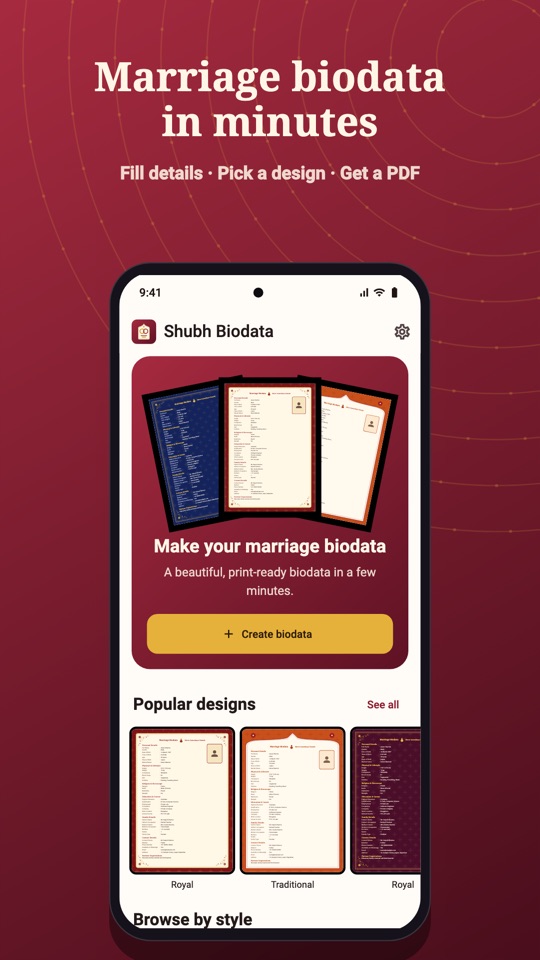
Start a new biodata -
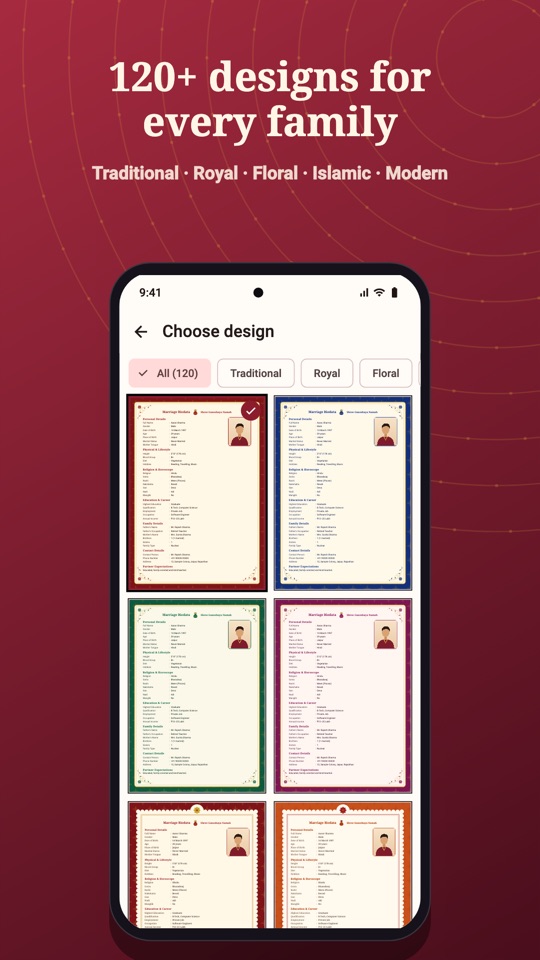
Browse 120+ designs -
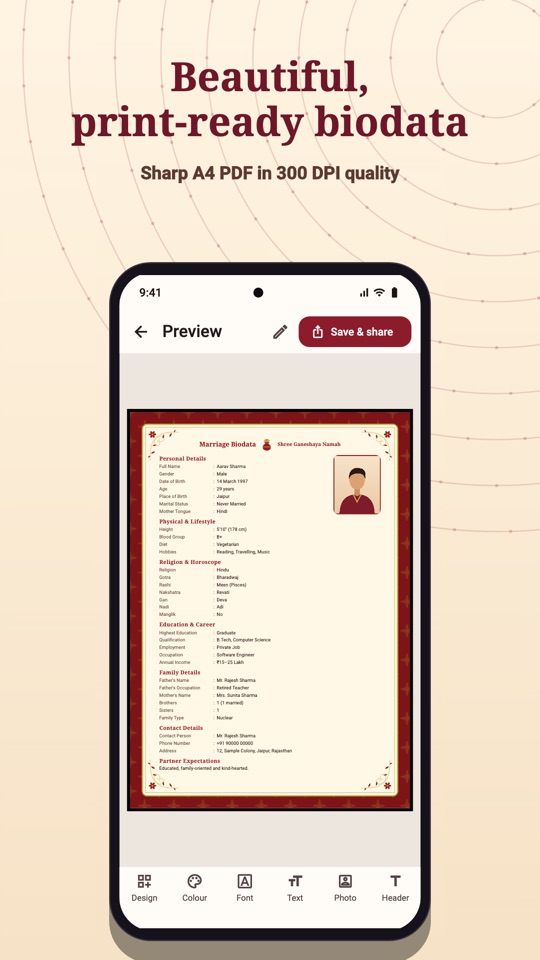
Preview your A4 PDF -
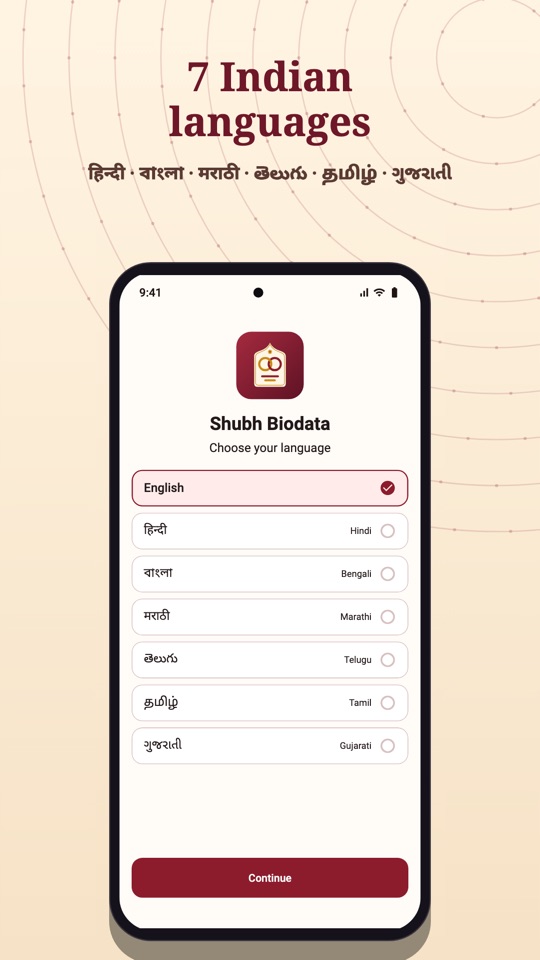
Pick your language -
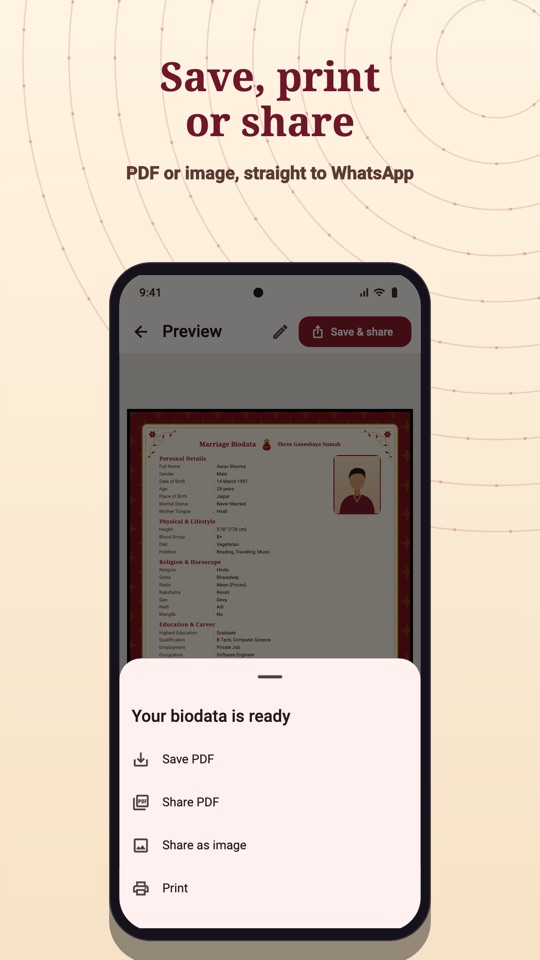
Save, print or share


Your biodata stays on your phone
A biodata holds personal family details. Shubh Biodata keeps them in the app on your phone and never sends them to us or anyone else.
Read the privacy policy- Biodata never uploadedOnly anonymous usage and crash reports are sent, and you can turn them off.
- No account or loginNo sign-up, phone number or OTP.
- No adsNo advertising and no advertising ID.
- Stored only on your phoneDetails and photos live inside the app. Uninstalling deletes them.
- Photo access only when you askCamera or gallery access is requested only when you add a photo.
- You decide what to shareNothing leaves the app until you tap Share, Save or Print.
Questions, answered
Is Shubh Biodata free?
Yes. The app is free to use and there are no in-app purchases at the moment.
Does it need an internet connection?
No. Every feature works offline. When you are online, and unless you turn it off in Settings, the app sends anonymous usage statistics and crash reports that never include your biodata details.
Where is my data stored?
Only on your phone, inside the app. Your biodata details and photos are never sent to us or to anyone else. Because there is no online backup, uninstalling the app deletes your biodatas, so keep a copy of your PDF somewhere safe.
Which languages are supported?
English, Hindi, Bengali, Marathi, Telugu, Tamil and Gujarati, both for the app itself and for the printed biodata.
Can I edit my biodata later?
Yes. Your biodata is saved in the app, so you can open it again at any time, change details or switch to a different design, and export a fresh PDF.
Can I make a biodata for a family member?
Yes. Many families make a biodata for a son, daughter, brother or sister, and you can keep more than one biodata in the app. Please make sure the person agrees to their details and photo being included and shared.
How do I print my biodata?
Tap Print to send it to a printer through Android’s print options, or save the A4 PDF and take it to any print shop. The PDF is made at 300 DPI, so text and photos print sharply.
Can I share it on WhatsApp?
Yes. Tap Share and choose PDF or image, then pick WhatsApp or any other app from your phone’s share menu.
Still have a question? Contact us.
Make your biodata today
Free, offline and in your language. Your first print-ready biodata is a few minutes away.